
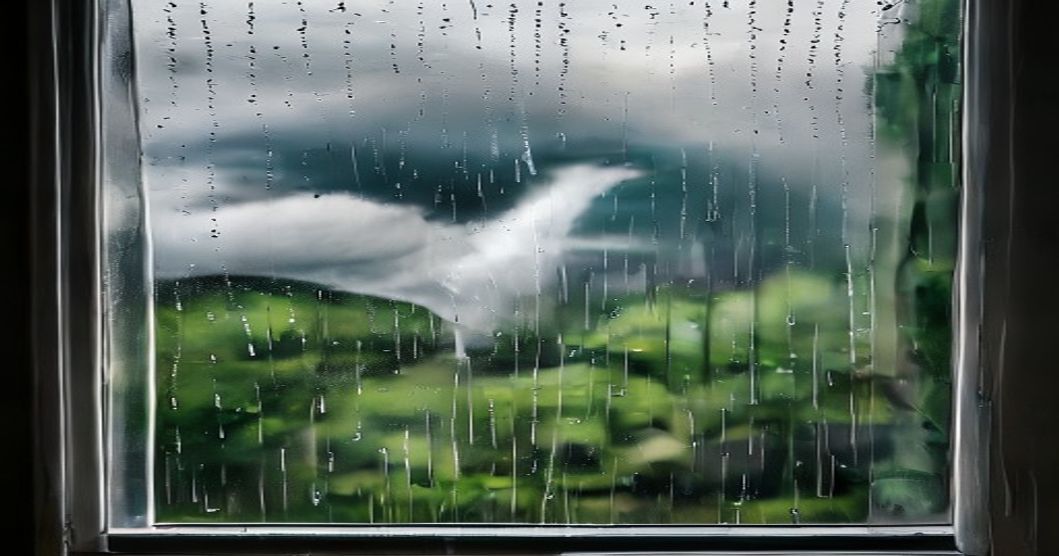
Sri Lanka’s weather has been wild lately! From scorching heatwaves that fry your phone to sudden downpours causing floods and power cuts, our beautiful island is facing extreme conditions.
But here’s the burning question: Are your precious devices – your smartphone, laptop, TV, and other gadgets – prepared for this unpredictable climate? Ignoring these risks can lead to costly repairs or even permanent damage.
In this comprehensive guide, SL Build LK breaks down the real threats and equips you with practical, Sri Lankan-friendly solutions. Get ready to future-proof your tech!
The Harsh Reality: Sri Lanka's Changing Climate & Device Risks
Sri Lanka's weather patterns are shifting dramatically. We've seen relentless heatwaves pushing temperatures to uncomfortable highs, followed by intense monsoonal rains leading to widespread flooding.
These extreme conditions pose serious, often overlooked, threats to your electronics. Think about water damage, overheating, power surges, and even dust intrusion – all common culprits.
From the bustling streets of Colombo to the rural villages, every Sri Lankan home and office faces these challenges. Protecting your devices isn't just smart; it's essential for daily life and work.
- Increased Rainfall: Monsoons are getting more intense, leading to flash floods in areas like the Western Province and landslides in the Central Highlands.
- Heatwaves: Prolonged periods of high temperatures stress device components and batteries, especially during our dry seasons.
- Power Instability: Heavy storms often bring power cuts and voltage fluctuations, a common headache for CEB consumers nationwide.
- Humidity: Sri Lanka's naturally high humidity levels contribute to long-term corrosion and mold growth inside electronics.
Water, Water Everywhere: Protecting Against Floods & Humidity
Water is the ultimate enemy of electronics. A single drop in the wrong place can short-circuit a device, rendering it useless instantly.
Beyond immediate water damage from floods or spills, Sri Lanka’s high humidity silently corrodes internal components over time. This slow killer often goes unnoticed until it's too late.
Whether you're near a flooded street in Dehiwala or experiencing a leaky roof in Kandy, safeguarding your tech from moisture is paramount.
Practical Solutions for Water & Humidity Protection:
- Waterproof Cases & Bags: Invest in IP67/IP68 rated phone cases and waterproof bags for laptops and cameras. These are lifesavers during sudden downpours or travel.
- Elevate Your Devices: During flood warnings or heavy rain, place electronics on higher shelves or tables. This simple act can prevent catastrophic water immersion.
- Desiccants (Silica Gel): Keep silica gel packets near sensitive electronics, especially inside camera bags or storage boxes. They absorb excess moisture, preventing corrosion.
- Avoid Charging Wet Devices: If a device gets wet, NEVER plug it in. Allow it to air dry completely, ideally in a well-ventilated area, before attempting to power it on.
- Professional Cleaning: If a device has been exposed to water, even if it seems to work, consider a professional check-up. They can clean internal corrosion before it becomes a bigger issue.
| Weather Threat | Common Device Impact | Key Protective Measure |
|---|---|---|
| Floods / Heavy Rain | Short circuits, water damage, data loss | Waterproof cases, elevate devices |
| High Humidity | Corrosion, mold growth, reduced lifespan | Silica gel, good ventilation |
| Extreme Heat | Overheating, battery degradation, performance throttling | Cooling pads, avoid direct sun |
| Power Surges | Component damage, data corruption | Surge protectors, UPS |
Battling the Heat: Overheating & Battery Degradation
Sri Lanka's tropical climate means high ambient temperatures year-round. Add direct sunlight and intensive usage, and your devices are battling a constant heat war.
Overheating can severely degrade battery life, slow down processors, and even cause permanent damage to internal components. This affects everything from your smartphone to your gaming PC.
Keeping your devices cool is not just about comfort; it's about extending their lifespan and maintaining optimal performance in our scorching heat.
Smart Strategies for Heat Management:
- Ensure Proper Ventilation: Never block the vents on your laptop, TV, or console. Use them on hard, flat surfaces, not soft beds or laps that trap heat.
- Avoid Direct Sunlight: Leaving your phone on the dashboard of your car or your laptop near a sunny window is a recipe for disaster. The sun's rays intensify heat rapidly.
- Cooling Pads & Stands: For laptops, a cooling pad can significantly reduce operating temperatures. Even a simple stand that lifts the laptop can improve airflow.
- Optimize Device Settings: Reduce screen brightness, close unnecessary background apps, and avoid graphically intensive tasks in hot environments. These steps reduce workload and heat generation.
- Battery Care: Avoid completely discharging or overcharging batteries in extreme heat. Charge your devices in cooler areas and unplug them once fully charged.
- Clean Dust Buildup: Dust acts as an insulator, trapping heat. Regularly clean fan vents and internal components (if comfortable doing so) to maintain efficient cooling.
Power Play: Surges, Outages & Unstable Grids
Power fluctuations are a fact of life in Sri Lanka, especially during heavy rains or high demand periods. Sudden power cuts, voltage surges, and brownouts are common occurrences.
These electrical inconsistencies can severely damage sensitive electronics, corrupt data, and even shorten the lifespan of your devices. Your valuable gadgets are constantly at risk.
From the frequent CEB power cuts to the occasional lightning strike, protecting your devices from unstable power is crucial for every Sri Lankan household and business.
Safeguarding Against Power Instability:
- Uninterruptible Power Supply (UPS): For computers and critical devices, a UPS provides battery backup during outages and regulates voltage. This is a must-have for offices and home setups.
- Surge Protectors: Plug all your sensitive electronics into surge protectors, not just standard extension cords. These divert excess voltage away from your devices during a power surge.
- Smart Plugs & Power Strips: Look for power strips with built-in surge protection and individual switches. These allow you to easily cut power to specific devices when not in use or during a storm.
- Unplug During Storms: When lightning storms are approaching or during planned power cuts, unplug your most valuable electronics from the wall. This is the most foolproof protection against surges.
- Proper Charging Habits: Avoid using cheap, uncertified chargers and cables. They might not offer adequate protection and can damage your device's battery or charging port.
- Backup Power Solutions: Keep a reliable power bank charged for your mobile devices. For larger needs, consider a small inverter or a solar charger for essential gadgets during prolonged outages.
Data Disaster Prevention: Backup is Your Best Friend
Even if you protect your devices physically, what about the invaluable data stored within them? Photos, documents, work files – these are often irreplaceable.
A damaged device, whether from water, heat, or a power surge, can mean permanent loss of your digital memories and important information. This is a common and heartbreaking outcome.
Don't wait for a disaster to strike; make data backup a regular part of your digital routine. It's the ultimate insurance policy for your digital life in Sri Lanka.
Essential Data Backup Strategies:
- Cloud Services: Utilize services like Google Drive, iCloud, OneDrive, or Dropbox to automatically sync and store your files online. Make sure you have enough storage space.
- External Hard Drives: Invest in a reliable external hard drive and regularly back up your important documents, photos, and videos. Keep this drive in a safe, separate location.
- Network Attached Storage (NAS): For tech enthusiasts or small businesses, a NAS system provides a robust, local network-based backup solution accessible from multiple devices.
- Regular Backup Schedule: Don't just back up once; make it a habit. Set reminders or use automated backup software to ensure your data is always up-to-date.
- Offline Backups for Critical Data: For truly irreplaceable files, consider having an additional offline backup (e.g., another external drive stored off-site).
- Check Your Backups: Periodically verify that your backups are working correctly and that you can access your files. A corrupted backup is as bad as no backup at all.
Conclusion: Be Prepared, Stay Connected
Sri Lanka's extreme weather is a challenge we all face. But with the right knowledge and proactive measures, you can significantly reduce the risks to your valuable electronic devices.
From protecting against floods and heat to safeguarding against power surges and data loss, preparedness is your best defense. Don't wait for a disaster to learn these lessons the hard way.
Take action today! Implement these tips, protect your tech, and stay connected no matter what the weather brings. Your devices, and your peace of mind, will thank you.
What are your go-to tips for protecting devices during extreme weather in Sri Lanka? Share your insights and experiences in the comments below! Don't forget to like, share, and subscribe to SL Build LK for more essential tech and lifestyle guides!


0 Comments